



录音机 音频播放 动画
趁着周末用微信小程序做了个简易录音机.跟大家分享,欢迎批评!
老规矩,先几张图.
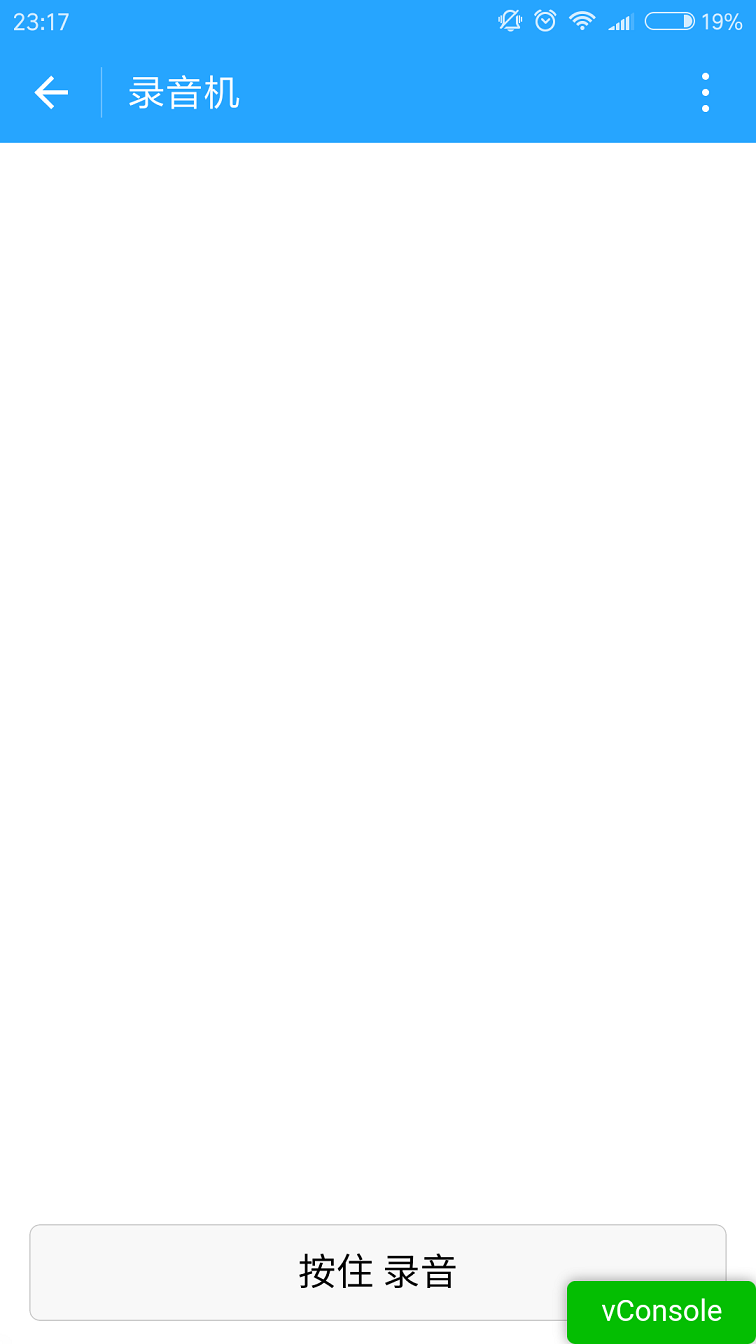
1.为了进来看得清楚.刚开始没有加载音频列表.代码往前挪一挪即可.
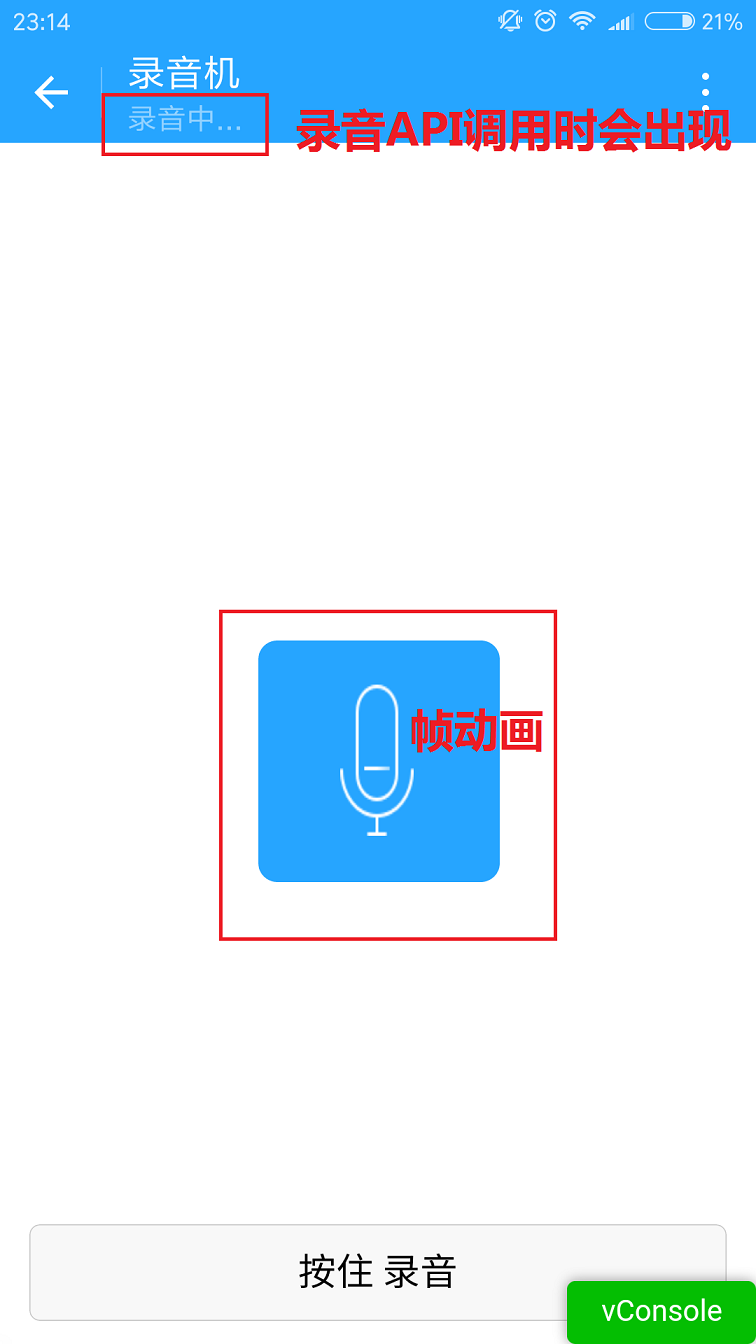
2.按住 录音按钮的时候会出现麦克风.中间的麦克风是个帧动画.
其实就是用js控制图片显示隐藏.没啥好说的.这里值得说一说的是录音.微信的录音API后,如果录音时间太短,会录音失败.所以fail的时候还是需要处理一下.录音时间的限制和微信语音是一样的.60秒.
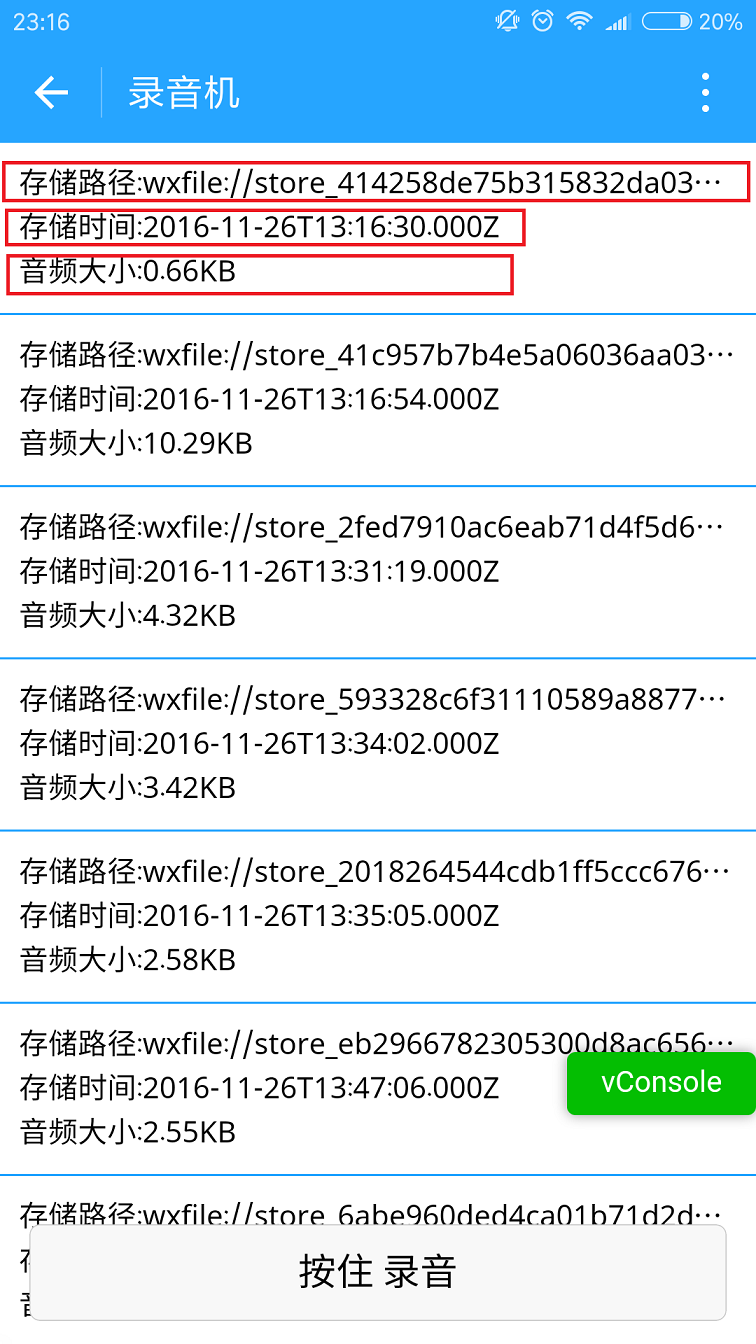
3.我在录音完成后才加载列表.
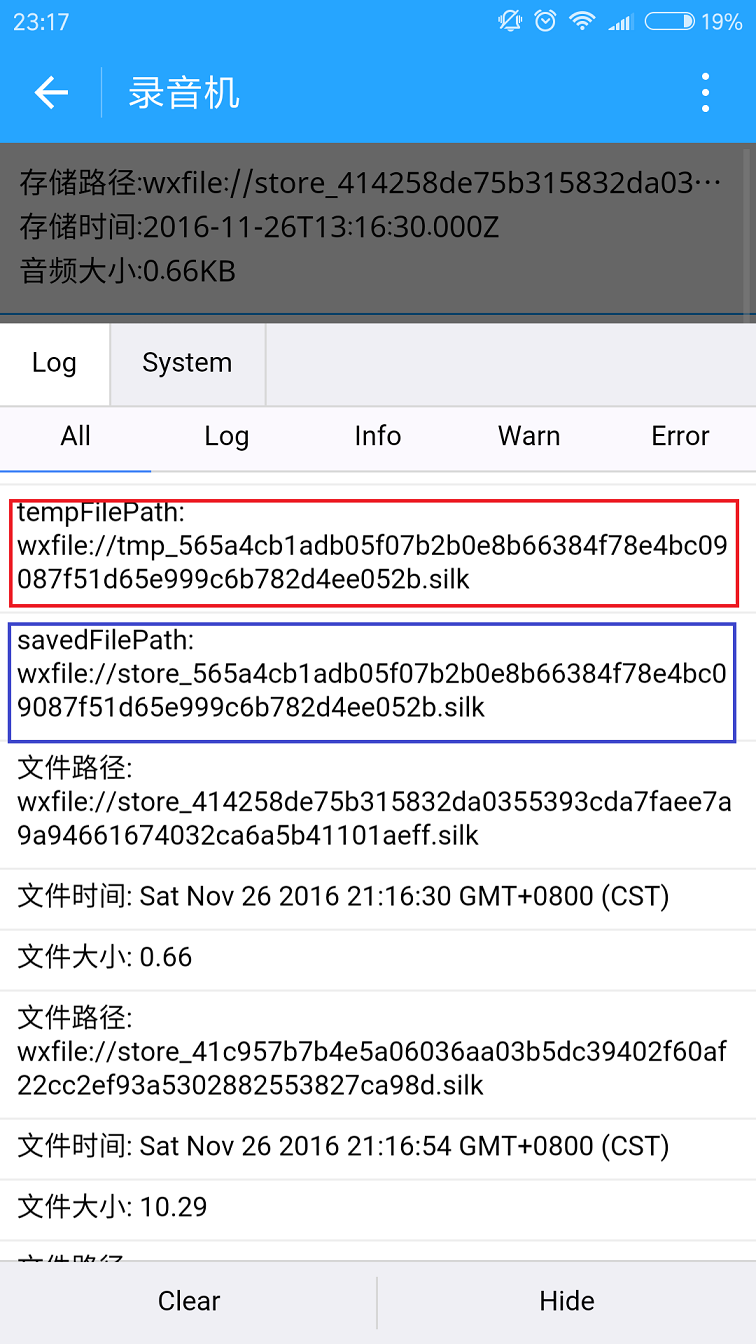
下图就是从微信存储的文件里获取到的列表信息.有储存路径,创建时间,文件大小.
这里的文件可能不只是音频.这里我没做判断.下面的路径都是wx:file//store_…
我也去找了下.在Tencent/micromsg/wxafiles/wx…./这一级目录就能找到了.
时间是格式化之后的.文件大小是B,转成KB如下.
手机目录如下.但是打开之后播放不了.目前原因不明.
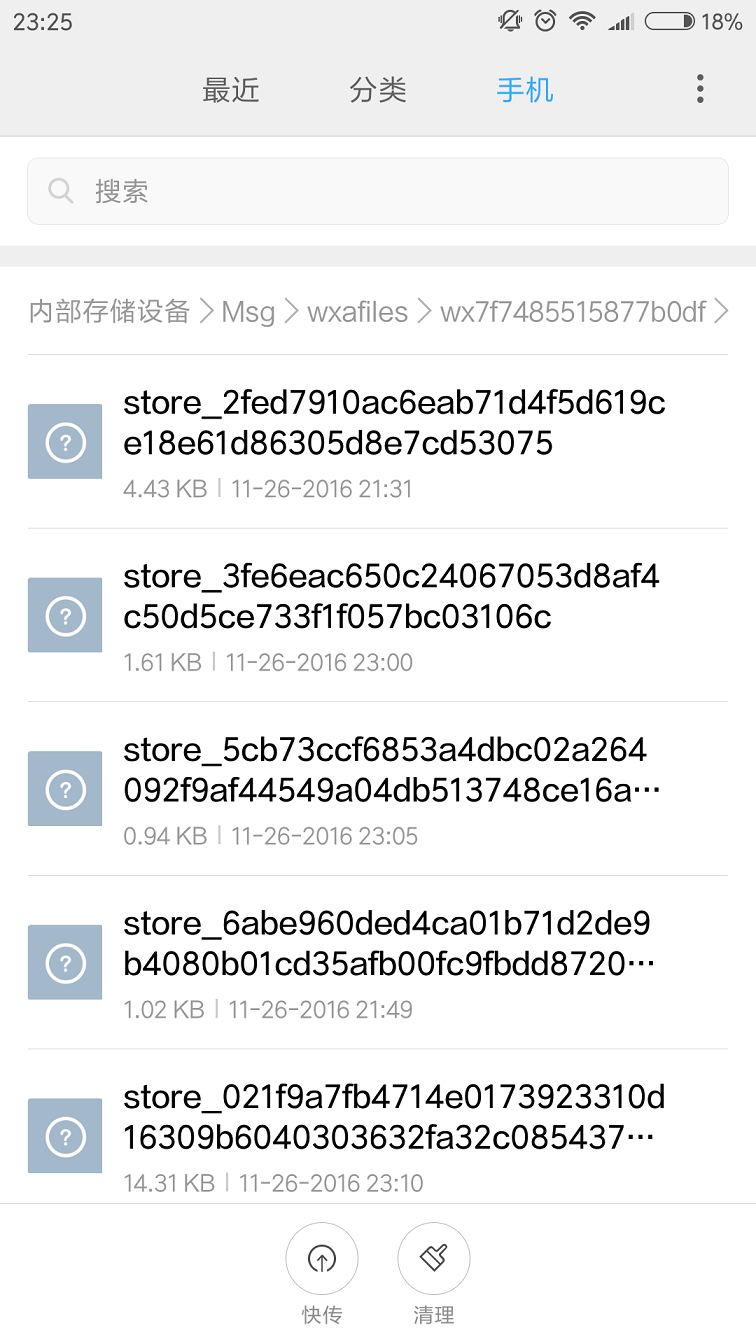
下面是文件全名称.
1.tempFilePath : 录音之后的临时文件.第二次进入小程序就不能正常使用了.
2.savedFilePath :持久保存的文件路径.值得注意的是微信只给100M的储存空间.还是尽早上传到后台吧.
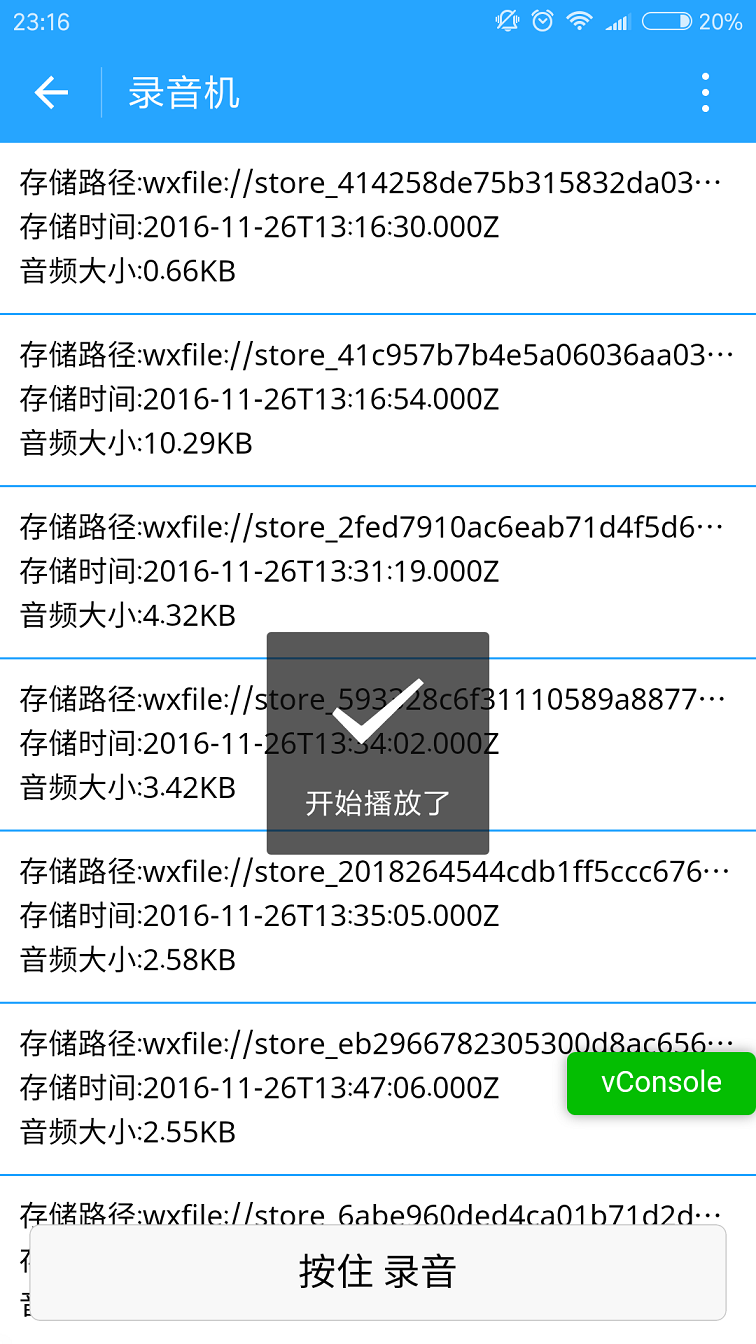
4.播放录音音频.
点击item就能听到你的声音了.别被自己吓住.哈哈.
上代码:
1.index.wxml
[HTML] 纯文本查看 复制代码
上代码:
1.index.wxml
[HTML] 纯文本查看 复制代码
?
|
01
02
03
04
05
06
07
08
09
10
11
12
13
14
15
16
17
18
19
20
21
22
23
24
25
26
27
|
<scroll-view>
<view wx:if=”{{voices}}” class=”common-list” style=”margin-bottom:120rpx;”>
<block wx:for=”{{voices}}”>
<view class=”board”>
<view class=”cell” >
<view class=”cell-bd” data-key=”{{item.filePath}}” bindtap=”gotoPlay” >
<view class=”date”>存储路径:{{item.filePath}}</view>
<view class=”date” >存储时间:{{item.createTime}}</view>
<view class=”date”>音频大小:{{item.size}}KB</view>
</view>
</view>
</view>
</block>
</view>
</scroll-view>
<view wx:if=”{{isSpeaking}}” class=”speak-style”>
<image class=”sound-style” src=”../../images/voice_icon_speech_sound_1.png” ></image>
<image wx:if=”{{j==2}}” class=”sound-style” src=”../../images/voice_icon_speech_sound_2.png” ></image>
<image wx:if=”{{j==3}}” class=”sound-style” src=”../../images/voice_icon_speech_sound_3.png” ></image>
<image wx:if=”{{j==4}}” class=”sound-style” src=”../../images/voice_icon_speech_sound_4.png” ></image>
<image wx:if=”{{j==5}}”class=”sound-style” src=”../../images/voice_icon_speech_sound_5.png” ></image>
</view>
<view class=”record-style”>
<button class=”btn-style” bindtouchstart=”touchdown” bindtouchend=”touchup”>按住 录音</button>
</view>
|
2.index.wxss
[CSS] 纯文本查看 复制代码
?
|
01
02
03
04
05
06
07
08
09
10
11
12
13
14
15
16
17
18
19
20
21
22
23
24
25
26
27
28
29
30
31
32
33
34
35
36
37
38
39
40
41
42
43
44
45
46
47
48
49
50
51
52
53
54
55
56
57
58
59
60
61
62
|
.speak-style{
position: relative;
height: 240rpx;
width: 240rpx;
border-radius: 20rpx;
margin: 50% auto;
background: #26A5FF;
}
.item-style{
margin-top: 30rpx;
margin-bottom: 30rpx;
}
.text-style{
text-align: center;
}
.record-style{
position: fixed;
bottom: 0;
left: 0;
height: 120rpx;
width: 100%;
}
.btn-style{
margin-left: 30rpx;
margin-right: 30rpx;
}
.sound-style{
position: absolute;
width: 74rpx;
height:150rpx;
margin-top: 45rpx;
margin-left: 83rpx;
}
.board {
overflow: hidden;
border-bottom: 2rpx solid #26A5FF;
}
/*列布局*/
.cell{
display: flex;
margin: 20rpx;
}
.cell-hd{
margin-left: 10rpx;
color: #885A38;
}
.cell .cell-bd{
flex:1;
position: relative;
}
/**只显示一行*/
.date{
font-size: 30rpx;
text-overflow: ellipsis;
white-space:nowrap;
overflow:hidden;
}
|
3.index.js
[JavaScript] 纯文本查看 复制代码
?
|
001
002
003
004
005
006
007
008
009
010
011
012
013
014
015
016
017
018
019
020
021
022
023
024
025
026
027
028
029
030
031
032
033
034
035
036
037
038
039
040
041
042
043
044
045
046
047
048
049
050
051
052
053
054
055
056
057
058
059
060
061
062
063
064
065
066
067
068
069
070
071
072
073
074
075
076
077
078
079
080
081
082
083
084
085
086
087
088
089
090
091
092
093
094
095
096
097
098
099
100
101
102
103
104
105
106
107
108
109
110
111
112
113
114
115
116
117
118
119
|
var app = getApp()
Page({
data: {
j: 1,//帧动画初始图片
isSpeaking: false,//是否正在说话
voices: [],//音频数组
},
onLoad: function () {
},
//手指按下
touchdown: function () {
console.log(“手指按下了…”)
console.log(“new date : ” + new Date)
var _this = this;
speaking.call(this);
this.setData({
isSpeaking: true
})
//开始录音
wx.startRecord({
success: function (res) {
//临时路径,下次进入小程序时无法正常使用
var tempFilePath = res.tempFilePath
console.log(“tempFilePath: ” + tempFilePath)
//持久保存
wx.saveFile({
tempFilePath: tempFilePath,
success: function (res) {
//持久路径
//本地文件存储的大小限制为 100M
var savedFilePath = res.savedFilePath
console.log(“savedFilePath: ” + savedFilePath)
}
})
wx.showToast({
title: ‘恭喜!录音成功’,
icon: ‘success’,
duration: 1000
})
//获取录音音频列表
wx.getSavedFileList({
success: function (res) {
var voices = [];
for (var i = 0; i < res.fileList.length; i++) {
//格式化时间
var createTime = new Date(res.fileList.createTime)
//将音频大小B转为KB
var size = (res.fileList.size / 1024).toFixed(2);
var voice = { filePath: res.fileList.filePath, createTime: createTime, size: size };
console.log(“文件路径: ” + res.fileList.filePath)
console.log(“文件时间: ” + createTime)
console.log(“文件大小: ” + size)
voices = voices.concat(voice);
}
_this.setData({
voices: voices
})
}
})
},
fail: function (res) {
//录音失败
wx.showModal({
title: ‘提示’,
content: ‘录音的姿势不对!’,
showCancel: false,
success: function (res) {
if (res.confirm) {
console.log(‘用户点击确定’)
return
}
}
})
}
})
},
//手指抬起
touchup: function () {
console.log(“手指抬起了…”)
this.setData({
isSpeaking: false,
})
clearInterval(this.timer)
wx.stopRecord()
},
//点击播放录音
gotoPlay: function (e) {
var filePath = e.currentTarget.dataset.key;
//点击开始播放
wx.showToast({
title: ‘开始播放’,
icon: ‘success’,
duration: 1000
})
wx.playVoice({
filePath: filePath,
success: function () {
wx.showToast({
title: ‘播放结束’,
icon: ‘success’,
duration: 1000
})
}
})
}
})
//麦克风帧动画
function speaking() {
var _this = this;
//话筒帧动画
var i = 1;
this.timer = setInterval(function () {
i++;
i = i % 5;
_this.setData({
j: i
})
}, 200);
}
|