


附登录设计实战教程
昨天小程序第一天公测,就下载个小程序自带IDE玩了玩,看了看API,撸出了个登录界面给大家分享下。
下面是主界面和代码。
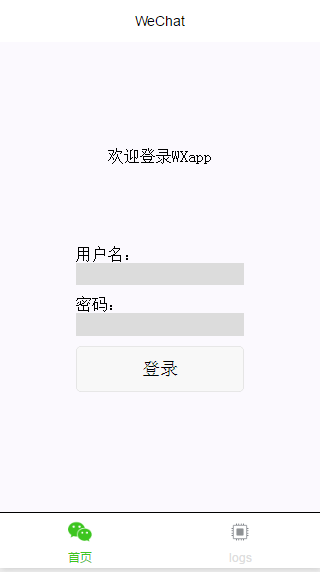
- index.wxml
[html] view plain copy
<view class=”container”>
<view class=”usermotto”>
<text class=”user-motto”>{{motto}}</text>
用户名:
<input type=”text” bindinput=”userNameInput”/>
密码:
<input type=”text” bindinput=”userPasswordInput” password=”true”/>
<button bindtap=”logIn”>登录</button>
</view>
</view>
index.js[javascript] view plain copy
var app = getApp()
Page({
data: {
motto: ‘欢迎登录WXapp’,
userName:”,
userPassword:”,
id_token:”,//方便存在本地的locakStorage
response:” //存取返回数据
},
userNameInput:function(e){
this.setData({
userName: e.detail.value
})
},
userPasswordInput:function(e){
this.setData({
userPassword: e.detail.value
})
console.log(e.detail.value)
},
logIn:function(){
var that = this
wx.request({
url: ‘http://localhost:8000/admin’,
data: {
username: this.data.userName,
password: this.data.userPassword,
},
method: ‘GET’,
success: function (res) {
that.setData({
id_token: res.data.id_token,
response:res
})
try {
wx.setStorageSync(‘id_token’, res.data.id_token)
} catch (e) {
}
wx.navigateTo({
url: ‘../components/welcome/welcome’
})
console.log(res.data);