




微信小程序学习:厕所雷达;Canvas【厕所找的快,排的才痛快】
紧急情况~ 找不到厕所? 晴天霹雳 裤衩一声? 完喽~~快来用厕所雷达吧~~~。作为一个优秀的楼主,胖子我不仅写了代码,连广告次都想好了,哇咔咔咔~~~~ “厕所找的快,排的才痛快”。
练习区里看到一个“厕所雷达”就来做了下,主要还是为了练习小程序“控件的基本用法”和“页面间的交互”,CSS依旧让我感到头疼,不过比上次的demo“石头剪刀布”好了很多了HOHO。(PS:页面有好几个,就先贴上首页的代码吧,想看的小伙伴就下载一下然后咱们互相交流哦,注释都写好了的说。哦对了,新的分享功能也加进去了,当然广告词已经写在分享里了。)
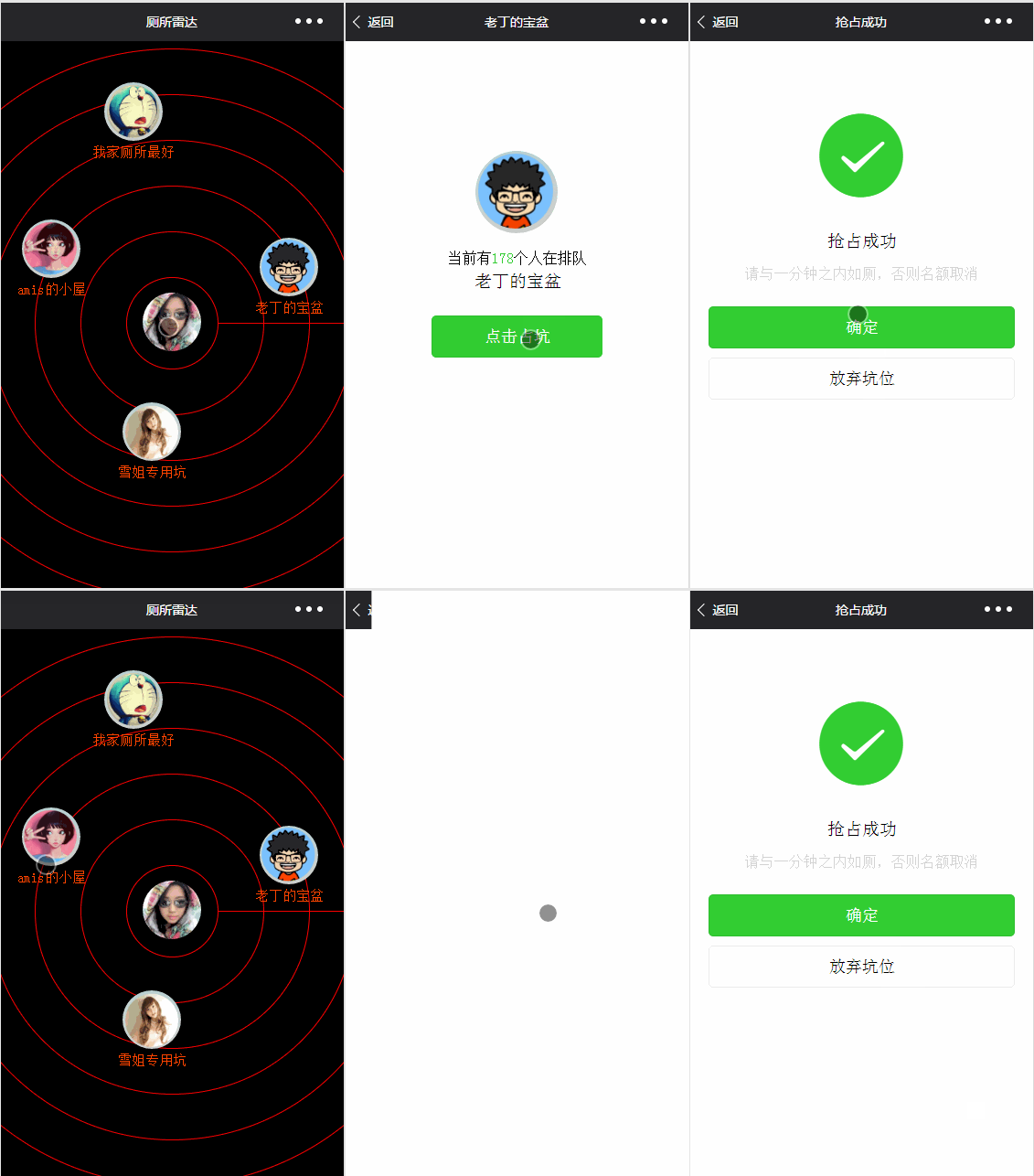
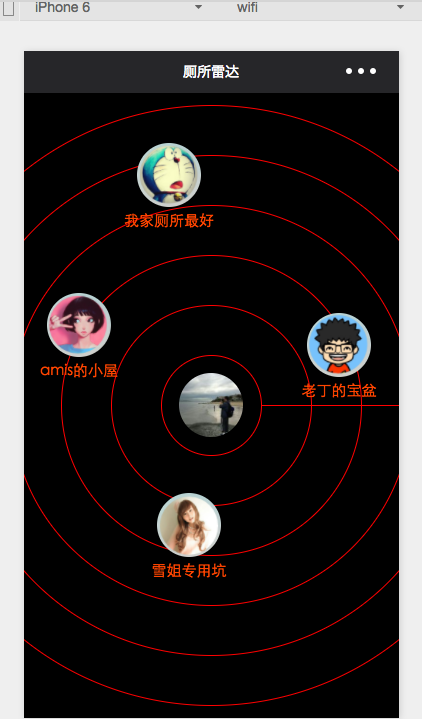
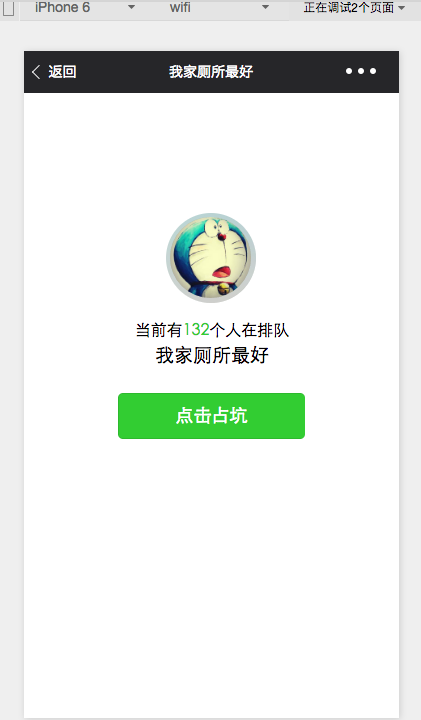
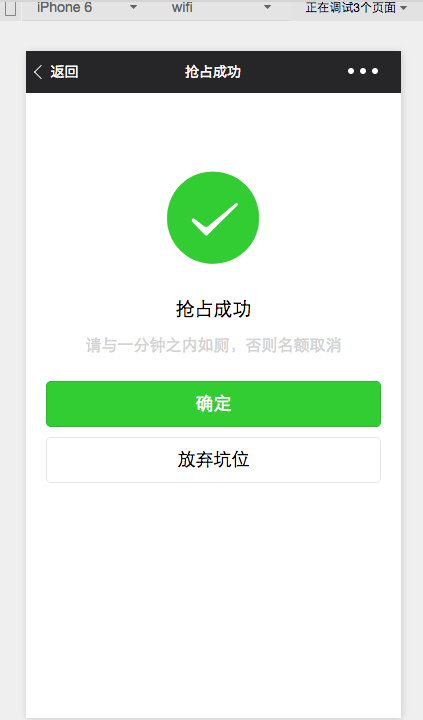
下面直接上图:
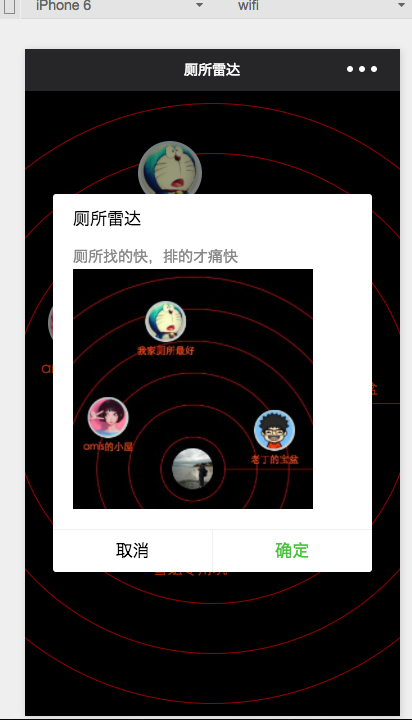
JS
- //index.js
- var app = getApp()
- var winHeight = 0
- var winWidth = 0
- Page({
- data: {
- //背景图片,现在没有
- img:\’/pages/image/123.png\’,
- //确定左边距距离,上边距距离,厕所title,头像
- dataArr:[{\’left\’:200,\’top\’:100,\’title\’:\’我家厕所最好\’,\’img\’:\’/pages/image/1.png\’},
- {\’left\’:20,\’top\’:400,\’title\’:\’amis的小屋\’,\’img\’:\’/pages/image/2.png\’},
- {\’left\’:540,\’top\’:440,\’title\’:\’老丁的宝盆\’,\’img\’:\’/pages/image/3.png\’},
- {\’left\’:240,\’top\’:800,\’title\’:\’雪姐专用坑\’,\’img\’:\’/pages/image/4.png\’}]
- },
- //进页面后获取数据
- onLoad: function () {
- console.log(\’onLoad\’)
- var that = this
- //调用应用实例的方法获取全局数据
- app.getUserInfo(function(userInfo){
- console.log(userInfo)
- //更新数据
- that.setData({
- userInfo:userInfo
- })
- })
- //获取数据
- wx.getSystemInfo({
- success: function(res) {
- console.log(res)
- winHeight = res.windowHeight;
- winWidth = res.windowWidth;
- }
- })
- // 使用 wx.createContext 获取绘图上下文 context
- var context = wx.createContext()
- context.arc(winWidth/2, winHeight/2, 50, 0, 2 * Math.PI, true)
- context.arc(winWidth/2, winHeight/2, 100, 0, 2 * Math.PI, true)
- context.arc(winWidth/2, winHeight/2, 150, 0, 2 * Math.PI, true)
- context.arc(winWidth/2, winHeight/2, 200, 0, 2 * Math.PI, true)
- context.arc(winWidth/2, winHeight/2, 250, 0, 2 * Math.PI, true)
- context.arc(winWidth/2, winHeight/2, 300, 0, 2 * Math.PI, true)
- context.setStrokeStyle(\’red\’)
- context.setLineWidth(1)
- context.stroke()
- // 调用 wx.drawCanvas,通过 canvasId 指定在哪张画布上绘制,通过 actions 指定绘制行为
- wx.drawCanvas({
- canvasId: \’radar\’,
- actions: context.getActions() // 获取绘图动作数组
- })
- },
- onShareAppMessage: function() {
- // 用户点击右上角分享
- return {
- title: \’厕所雷达\’, // 分享标题
- desc: \’厕所找的快,排的才痛快\’, // 分享描述
- path: \’path\’ // 分享路径
- }
- }
- })
复制代码
- <span style=”color: rgb(255, 0, 0); font-family: ‘Microsoft Yahei’, Simsun; line-height: 28px; background-color: rgb(255, 255, 255);”>wxml:</span>
复制代码
wxss:
- /**index.wxss**/
- page{
- background: black;
- height: 100%;
- }
- canvas{
- width: 100%;
- height: 100%;
- }
- .userinfo {
- position:absolute;
- top: 561rpx;
- left:311rpx;
- width: 128rpx;
- height: 128rpx;
- border-radius: 50%;
- }
- .toiletView{
- position:absolute;
- width: 180rpx;
- height: 180rpx;
- }
- .toiletView-image{
- position:absolute;
- left: 13px;
- top: 0px;
- width: 128rpx;
- height: 128rpx;
- border-radius: 50%;
- }
- .toiletView-text{
- position:absolute;
- bottom: 10rpx;
- font-size: 30rpx;
- color: orangered;
- width: 180rpx;
- text-align: center;
- }
复制代码
雷达的背景图是没有的,只能用画板自己手动画了